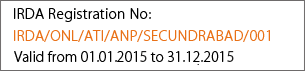
|
Instructions for Internet Explorer Settings: |
1)For XP Users
|
Add iguru site to Trusted Sites:
|
Goto Internet Options --> Security --> Select Trusted Sites-->Click on
Sites
|
|
Add site url and uncheck the "Required server verification" --> OK --> OK |
|
|
|
2)For Windows Server OS (Windows Server 2000/2003): |
|
Goto Internet Options --> Security --> Custom Level |
1.Initialize and script ActiveX controls not marked as safe = Prompt
2.Run ActiveX controls and plug-ins = Enable
|
On login page a message "An ActiveX control on this page might be unsafe
to interact with other parts of the page. Do you want to allow this
transaction?" will appear with Yes and No options.
Please always click <Yes>. ..more |